Reject components
Once you know which components are artefacts (see how to recognize them), reject them: AnyWave rebuilds the signals of the recording without the rejected components. The data file is never modified.
Reject a component
Use any of these:
- In the ICA Components window, click Reject under the map of the component.
- In the view of the components, right-click the name of the component and choose Reject component.
- From a plugin: the
icacommand in MATLAB, orica_commandin Python.
A rejected component is marked in both places:
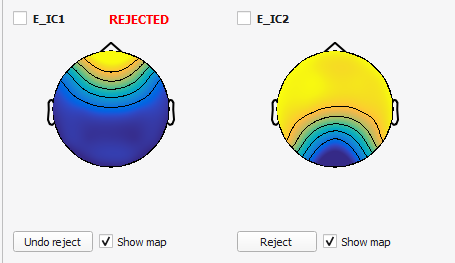

- its card shows REJECTED in red, and the Reject button becomes Undo reject;
- its trace shows REJECTED in red next to its name.
You can reject as many components as you want. Each rejection is applied at once, to all the views.
Undo
Click Undo reject on the card, or choose Undo reject in the menu of the component. The component is back in the signals.
What changes in the signals
The channels the ICA was computed on (the EEG channels of an EEG ICA, for instance) are rebuilt from the components that are not rejected, so what the rejected components carried is gone from every view. The views are reloaded as soon as you reject or undo, there is nothing else to do. The other channels (ECG, triggers, the bad channels that were left out of the computation...) are not changed. The components themselves keep showing their own time course, rejected or not, so that you can change your mind.
Here is the same stretch of the EEG of these pages before (above) and after (below) the rejection of E_IC1, the blink
component. Under the signals of each half you can see the trace of E_IC1, marked REJECTED in the second one:
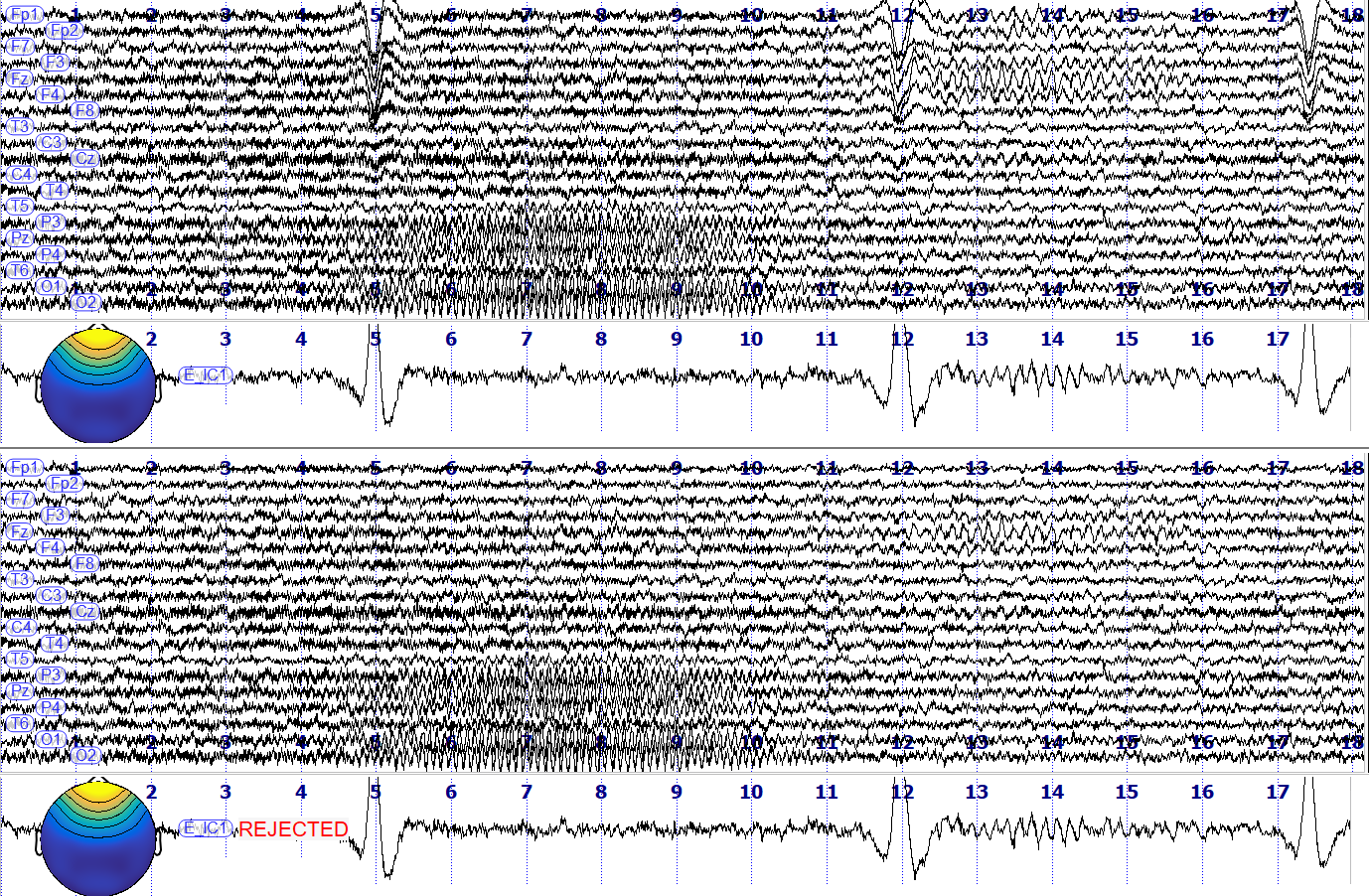
The deflections of the blinks, at 5, 12 and 17 seconds in Fp1, Fp2 and the other frontal channels, are gone. The alpha rhythm at the back of the head is still there: it belongs to another component, which was not rejected.
Note
The rejected components are kept while the file is open. They are not written in the ICA file: when you
close the recording, the choice is lost. Note the numbers of the components you reject, or reject them from a
script with ica / ica_command, which makes the
cleaning reproducible.
Good practice
- Check the map and the time course before rejecting: a component that looks like an artefact on its map but whose time course is rhythmic may be brain activity.
- Reject as few components as you can. A blink or an eye movement is usually one component; if you find yourself rejecting many, the ICA may deserve to be computed again with other filters or data.
- Look at the signals before and after, at a place where the artefact is obvious, as in the figure above: reject, look, Undo reject, look again.
- Reject the components one at a time and look at the signals after each one. What a component removes is visible at once, which tells you whether you were right.