Select sensors on a layout
For EEG, MEG and OPM recordings you can choose the channels to keep by clicking the sensors on a 2D layout of the sensors, instead of picking names in a list. It is the quickest way to keep, for instance, the frontal electrodes or the sensors above one hemisphere.
Click Select Sensors in the toolbar.
- If the recording holds sensors of several modalities (EEG and MEG recorded together, for instance), AnyWave first asks which modality to use.
- The window then shows the sensors of a layout.
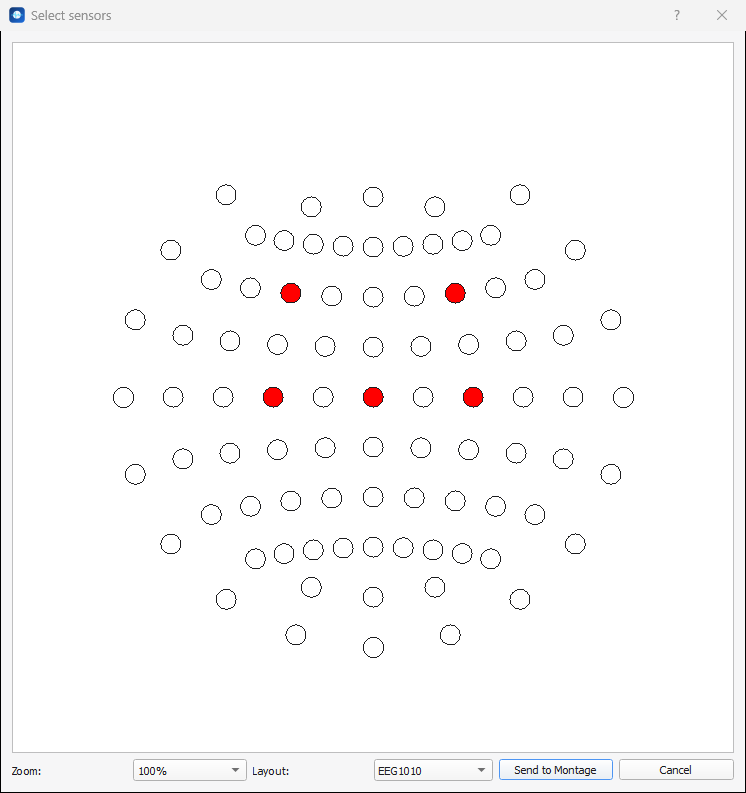
| Control | What it does |
|---|---|
| Layout | The layout to draw. AnyWave proposes the layouts of the modality (BIOSEMI32, EEG1010... for EEG, the helmet of the system for MEG). Choose the one that has the names of your sensors. |
| Zoom | Enlarges the drawing (80 % to 200 %). |
| Click on a sensor | Selects it: the circle turns red. The name of the sensor appears in a tooltip. |
| Ctrl + drag | Draws a zone: when you release the mouse button, all the sensors inside the zone are selected. |
| Send to Montage | Applies the selection. With nothing selected, AnyWave answers No sensors selected. |
| Cancel | Closes the window without changing anything. |
What Send to Montage does
Send to Montage keeps, among the channels of the current montage that belong to this modality, only the selected sensors. The channels of the other types are left untouched.
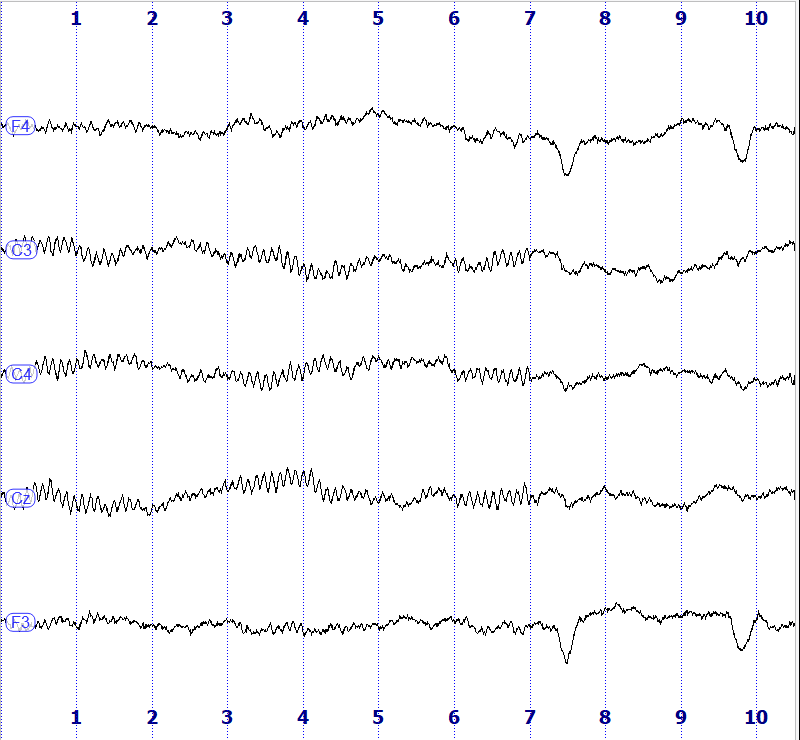
A few consequences:
- Only the sensors that are in the current montage can be kept. A sensor of the layout that is not in the montage, or that is flagged bad, is ignored.
- To get channels back after a selection, use the montage editor: Restore Default, or add them with the arrow.
- A sensor selection is a montage like another: it is saved with the data file and can be saved under a name (see Quick montages and saved montages).
Note
The layouts come with AnyWave. The selection is only available when AnyWave has a layout for the sensors of the file.